[[EN]](./lvgl_example_en.md)
# ESP32 LittlevGL 控件示例
该示例不再维护,LCD 以及 LVGL 示例请参考: [i80_controller](https://github.com/espressif/esp-idf/tree/master/examples/peripherals/lcd/i80_controller)、[rgb_panel](https://github.com/espressif/esp-idf/tree/master/examples/peripherals/lcd/rgb_panel) 和 [spi_lcd_touch](https://github.com/espressif/esp-idf/tree/master/examples/peripherals/lcd/spi_lcd_touch)
## 示例环境
- 硬件:
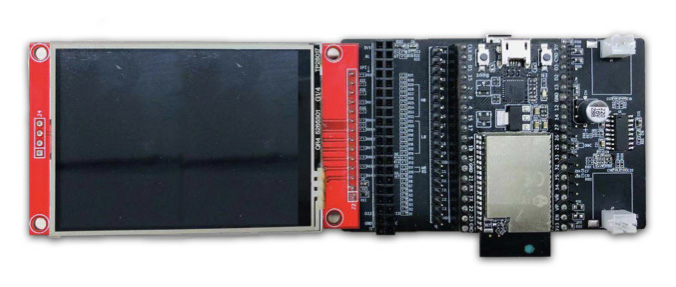
* [ESP32\_LCD\_EB\_V1](https://docs.espressif.com/projects/esp-dev-kits/en/latest/esp32/esp32-lcdkit/index.html) 开发板(该示例需要搭配使用 [ESP32 DevKitC](https://docs.espressif.com/projects/esp-idf/en/stable/hw-reference/modules-and-boards.html#esp32-devkitc-v4) 开发板)
* 屏幕(2.8 inch、240*320 pixel、ILI9341 LCD + XPT2046 Touch)
- 软件:
* [esp-iot-solution](https://github.com/espressif/esp-iot-solution)
* [LittlevGL GUI](https://lvgl.io/)
连接示意图:
默认引脚连接:
Name | Pin
-------- | -----
CLK | 22
MOSI | 21
MISO | 27
CS(LCD) | 5
DC | 19
RESET | 18
LED | 23
CS(Touch) | 32
IRQ | 33
## 运行示例
- 进入到 `examples/hmi/lvgl_example` 目录下
- 运行 `make defconfig`(Make) 或者 `idf.py defconfig`(CMake) 使用默认配置
- 运行 `make menuconfig`(Make) 或者 `idf.py menuconfig`(CMake) 进行相关配置,你可以在 `Example Configuration → Choose LVGL Demo to Run` 中选择运行不同的示例
- 运行 `make -j8 flash`(Make) 或者 `idf.py flash`(CMake) 编译、烧录程序到设备
## 示例结果